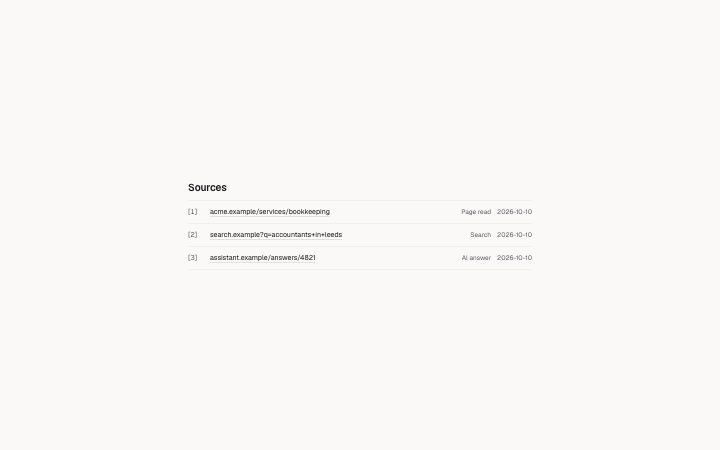
Sources list
Install
npx shadcn add @klarhimmel/sources-listUsage
import { Theme } from '@/components/klarhimmel/theme/style';
import { BlockSurface } from '@/components/klarhimmel/blocks/surface';
import SourcesList from '@/components/klarhimmel/blocks/sources-list';

export default function Section() {
  return (
    <Theme theme="brand">
      <BlockSurface>
        <SourcesList props={{
          "title": "Sources",
          "sources": [
            {
              "id": "src_1",
              "url": "https://acme.example/services/bookkeeping",
              "kind": "crawl",
              "fetchedAt": "2026-10-10T09:12:00Z"
            },
            {
              "id": "src_2",
              "url": "https://search.example/?q=accountants+in+leeds",
              "kind": "search",
              "fetchedAt": "2026-10-10T09:13:30Z"
            },
            {
              "id": "src_3",
              "url": "https://assistant.example/answers/4821",
              "kind": "ai_answer",
              "fetchedAt": "2026-10-10T09:14:05Z"
            }
          ],
          "numbered": true,
          "kindWords": {
            "crawl": "Page read",
            "search": "Search",
            "ai_answer": "AI answer",
            "dataset": "Dataset",
            "brief": "Brief"
          }
        }} />
      </BlockSurface>
    </Theme>
  );
}
Install
Import
import Block from '@/components/klarhimmel/blocks/sources-list';- snapshot/sources
- About
- The numbered sources behind a snapshot: host and path of each address (the path cut), what kind of source it is said in words, and the day it was fetched.
- Category
- The live snapshot of a site: progress narration, the profile, one card per research module and the numbered sources behind it. Rendered in a page island that re-renders on each poll.
Notes
When to use it
A numbered list of the sources behind a snapshot, with host and path, the kind of source and the day it was fetched. For the references of an ordinary report with labels and notes, `report-sources` is the better match.
Writing for it
- Each source needs an id (60 characters), a url (2000) and a kind of crawl, search, ai_answer, dataset or brief. The id is what module items refer to when they show their markers. - Set numbered to true when other blocks point at the list with markers like [1], and to false for a plain bulleted list. - fetchedAt is optional and only an ISO date prefix such as 2026-10-08 is shown; anything else leaves the date out. Use kindWords to say the five kinds in the page's language.
Watch out for
With no sources the block draws nothing at all, not even its heading, so do not rely on the title appearing. The path of each address is cut to 48 characters, so the visible text is not the full link.
Pairs well with
Usage
The block in a page, with its default content (long lists shortened). Every prop is in the table below.
import { Theme } from '@/components/klarhimmel/theme/style';
import { BlockSurface } from '@/components/klarhimmel/blocks/surface';
import SourcesList from '@/components/klarhimmel/blocks/sources-list';

export default function Section() {
  return (
    <Theme theme="brand">
      <BlockSurface>
        <SourcesList props={{
          "title": "Sources",
          "numbered": true,
          "sources": [
            {
              "id": "src_1",
              "url": "https://acme.example/services/bookkeeping",
              "kind": "crawl",
              "fetchedAt": "2026-10-10T09:12:00Z"
            },
            {
              "id": "src_2",
              "url": "https://search.example/?q=accountants+in+leeds",
              "kind": "search",
              "fetchedAt": "2026-10-10T09:13:30Z"
            },
            {
              "id": "src_3",
              "url": "https://assistant.example/answers/4821",
              "kind": "ai_answer",
              "fetchedAt": "2026-10-10T09:14:05Z"
            }
          ],
          "kindWords": {
            "crawl": "Page read",
            "search": "Search",
            "ai_answer": "AI answer",
            "dataset": "Dataset",
            "brief": "Brief"
          }
        }} />
      </BlockSurface>
    </Theme>
  );
}
Props
The type, default and text limit of every prop. On a real page, over-limit text is kept and checkSections flags it (Installation, Check a page before you ship); this live preview shows the default until it fits. The panel above edits all props.
| Prop | Type | Default | Description |
|---|---|---|---|
title | string | 'Sources' | Text, up to 60 characters. |
sources | { id, url, kind, fetchedAt }[] | 3 items | List of up to 40. Each item: id, url, kind ('crawl' | 'search' | 'ai_answer' | 'dataset' | 'brief'), fetchedAt. |
numbered | boolean | true | See the type. |
kindWords | { crawl, search, ai_answer, dataset, brief } | {…} | Fields: crawl (optional), search (optional), ai_answer (optional), dataset (optional), brief (optional). Optional; empty is not rendered. |
headingLevel | '1' | '2' | - | One of '1', '2'. Optional; empty is not rendered. |