Audit, overview
Install
npx shadcn add @klarhimmel/report-audit-overviewUsage
import { Theme } from '@/components/klarhimmel/theme/style';
import { BlockSurface } from '@/components/klarhimmel/blocks/surface';
import ReportAuditOverview from '@/components/klarhimmel/blocks/report-audit-overview';

export default function Section() {
  return (
    <Theme theme="brand">
      <BlockSurface>
        <ReportAuditOverview props={{
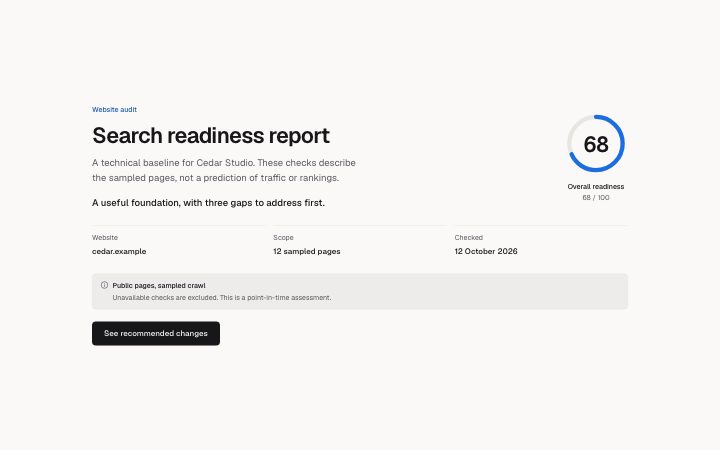
          "eyebrow": "Website audit",
          "title": "Search readiness report",
          "description": "A technical baseline for Cedar Studio. These checks describe the sampled pages, not a prediction of traffic or rankings.",
          "score": 68,
          "scoreLabel": "Overall readiness",
          "unavailable": "Not assessed",
          "verdict": "A useful foundation, with three gaps to address first.",
          "facts": [
            {
              "label": "Website",
              "value": "cedar.example"
            },
            {
              "label": "Scope",
              "value": "12 sampled pages"
            },
            {
              "label": "Checked",
              "value": "12 October 2026"
            }
          ],
          "source": "Public pages, sampled crawl",
          "sourceNote": "Unavailable checks are excluded. This is a point-in-time assessment.",
          "action": {
            "label": "See recommended changes",
            "href": "#recommendations"
          }
        }} />
      </BlockSurface>
    </Theme>
  );
}
Install
Import
import Block from '@/components/klarhimmel/blocks/report-audit-overview';- report/audit-overview
- Category
- A document for a reader: key figures, decisions with a recommended default, long-cell tables, timelines, callouts, sources and prose. Rendered to one HTML file by kh-report.
Notes
When to use it
Open a scored website report with the verdict, sample scope and source caveat in one place. Use report-header when the document has no scored assessment.
Writing for it
- Name the assessed property and record the sampled page count in facts rather than implying a complete crawl. The sourceNote should say when the sample was taken and what its limitations are. - Supply a score only when the host has enough completed checks to calculate it. A null score means unassessed; a numeric zero remains a measured result.
Watch out for
The ring does not calculate an aggregate or decide which checks count. Keep aggregation rules in your audit service, and point the action at a section or destination that actually exists.
Pairs well with
Usage
The block in a page, with its default content (long lists shortened). Every prop is in the table below.
import { Theme } from '@/components/klarhimmel/theme/style';
import { BlockSurface } from '@/components/klarhimmel/blocks/surface';
import ReportAuditOverview from '@/components/klarhimmel/blocks/report-audit-overview';

export default function Section() {
  return (
    <Theme theme="brand">
      <BlockSurface>
        <ReportAuditOverview props={{
          "eyebrow": "Website audit",
          "title": "Search readiness report",
          "description": "A technical baseline for Cedar Studio. These checks describe the sampled pages, not a prediction of traffic or rankings.",
          "score": 68,
          "scoreLabel": "Overall readiness",
          "unavailable": "Not assessed",
          "verdict": "A useful foundation, with three gaps to address first.",
          "facts": [
            {
              "label": "Website",
              "value": "cedar.example"
            },
            {
              "label": "Scope",
              "value": "12 sampled pages"
            },
            {
              "label": "Checked",
              "value": "12 October 2026"
            }
          ],
          "source": "Public pages, sampled crawl",
          "sourceNote": "Unavailable checks are excluded. This is a point-in-time assessment.",
          "action": {
            "label": "See recommended changes",
            "href": "#recommendations"
          }
        }} />
      </BlockSurface>
    </Theme>
  );
}
Props
The type, default and text limit of every prop. On a real page, over-limit text is kept and checkSections flags it (Installation, Check a page before you ship); this live preview shows the default until it fits. The panel above edits all props.
| Prop | Type | Default | Description |
|---|---|---|---|
eyebrow | string | 'Website audit' | Text, up to 60 characters. |
title | string | 'Search readiness report' | Text, up to 120 characters. |
description | string | 'A technical baseline for Cedar Stud…' | Text, up to 300 characters. |
score | number | 68 | See the type. |
scoreLabel | string | 'Overall readiness' | Text, up to 60 characters. |
unavailable | string | 'Not assessed' | Text, up to 100 characters. |
verdict | string | 'A useful foundation, with three gap…' | Text, up to 160 characters. |
facts | { label, value }[] | 3 items | List of up to 6. Each item: label, value. |
source | string | 'Public pages, sampled crawl' | Text, up to 100 characters. |
sourceNote | string | 'Unavailable checks are excluded. Th…' | Text, up to 200 characters. |
action | Link | {…} | See the type. |
headingLevel | '1' | '2' | - | One of '1', '2'. Optional; empty is not rendered. |