Report, timeline
Install
npx shadcn add @klarhimmel/report-timelineUsage
import { Theme } from '@/components/klarhimmel/theme/style';
import { BlockSurface } from '@/components/klarhimmel/blocks/surface';
import ReportTimeline from '@/components/klarhimmel/blocks/report-timeline';

export default function Section() {
  return (
    <Theme theme="brand">
      <BlockSurface>
        <ReportTimeline props={{
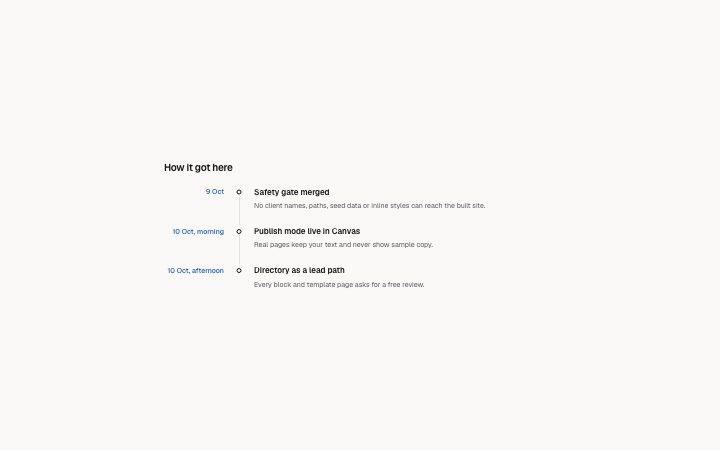
          "title": "How it got here",
          "lead": "",
          "items": [
            {
              "date": "9 Oct",
              "title": "Safety gate merged",
              "text": "No client names, paths, seed data or inline styles can reach the built site."
            },
            {
              "date": "10 Oct, morning",
              "title": "Publish mode live in Canvas",
              "text": "Real pages keep your text and never show sample copy."
            },
            {
              "date": "10 Oct, afternoon",
              "title": "Directory as a lead path",
              "text": "Every block and template page asks for a free review."
            }
          ]
        }} />
      </BlockSurface>
    </Theme>
  );
}
Install
Import
import Block from '@/components/klarhimmel/blocks/report-timeline';- report/timeline
- Category
- A document for a reader: key figures, decisions with a recommended default, long-cell tables, timelines, callouts, sources and prose. Rendered to one HTML file by kh-report.
Notes
When to use it
What happened and when, as a dated vertical list with a title and a few lines for each entry. For steps that are not tied to dates use `report-prose` with a numbered list, and for a process on a marketing page look at the process blocks.
Writing for it
- Date is free text up to 40 characters, so 14 March, Week 3 or Q2 all work. Keep one style across the whole list so the left column lines up. - The title is required and holds 160 characters. Write it as the event itself, in the past tense, because each title is an h3 in the page outline. - Text holds 700 characters and is optional. A sentence about the consequence is worth more than repeating the title, and the list allows up to 24 entries.
Watch out for
Entries are drawn in the order you give them, and nothing sorts by date. A date left empty removes the date column cell on that row only, so the rows around it keep a date and it stands out.
Pairs well with
Usage
The block in a page, with its default content (long lists shortened). Every prop is in the table below.
import { Theme } from '@/components/klarhimmel/theme/style';
import { BlockSurface } from '@/components/klarhimmel/blocks/surface';
import ReportTimeline from '@/components/klarhimmel/blocks/report-timeline';

export default function Section() {
  return (
    <Theme theme="brand">
      <BlockSurface>
        <ReportTimeline props={{
          "title": "How it got here",
          "lead": "",
          "items": [
            {
              "date": "9 Oct",
              "title": "Safety gate merged",
              "text": "No client names, paths, seed data or inline styles can reach the built site."
            },
            {
              "date": "10 Oct, morning",
              "title": "Publish mode live in Canvas",
              "text": "Real pages keep your text and never show sample copy."
            },
            {
              "date": "10 Oct, afternoon",
              "title": "Directory as a lead path",
              "text": "Every block and template page asks for a free review."
            }
          ]
        }} />
      </BlockSurface>
    </Theme>
  );
}
Props
The type, default and text limit of every prop. On a real page, over-limit text is kept and checkSections flags it (Installation, Check a page before you ship); this live preview shows the default until it fits. The panel above edits all props.
| Prop | Type | Default | Description |
|---|---|---|---|
title | string | 'How it got here' | Text, up to 100 characters. |
lead | string | '' | Text, up to 300 characters. |
items | { date, title, text }[] | 3 items | List of 1 to 24. Each item: date, title, text. |
headingLevel | '1' | '2' | - | One of '1', '2'. Optional; empty is not rendered. |